Overview
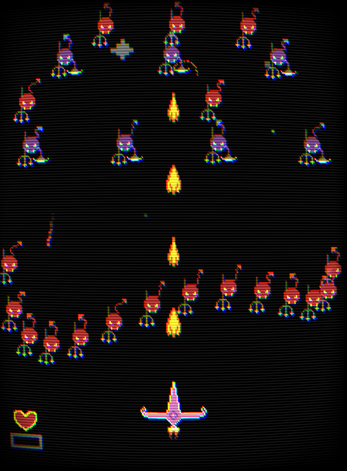
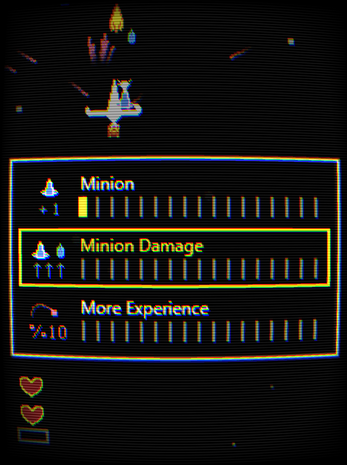
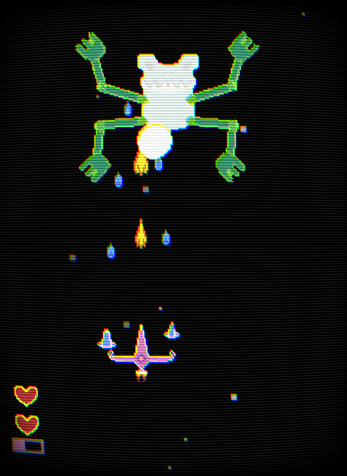
Tremble is a lightweight Flutter game engine that follows the simple setup → update → draw pattern found in frameworks like p5.js, Processing, Raylib, and LÖVE. No complex architecture - just write a controller and draw to the canvas.
Setup
GameArea
The root widget. Wrap it with
SizedBox
+
FittedBox
for a fixed-resolution letterbox
canvas.
DartFittedBox(
  child: SizedBox(
    width: 480,
    height: 640,
    child: GameArea(controller: DemoController()),
  ),
)
ScreenController
Dartclass DemoController extends ScreenController {
  void setup(BuildContext context, double width, double height) { }
  void resize(double width, double height) { }
  void update(double deltaTime) { }
  void draw(Canvas canvas, Size size) { }
  void lifecycleChanged(AppLifecycleState state) { }
  void dispose() { }
}
Lifecycle
lifecycleChanged
is called when the app transitions between foreground and background. The
AppLifecycleState
values are
resumed,
inactive,
paused,
hidden, and
detached. Use it to pause/resume game logic or audio.
Dartvoid lifecycleChanged(AppLifecycleState state) {
  if (state == AppLifecycleState.paused) {
    // pause music, save game state
  } else if (state == AppLifecycleState.resumed) {
    // resume music, refresh UI
  }
}
Preload
Load assets before the first frame. Report progress via the callback and call
done():
DartFuture<void> preload(progress, done) async {
  progress(0.5);
  // await loadAssets();
  progress(1.0);
  done();
}
Show a loading UI with
loadingBuilder:
DartGameArea(
  controller: DemoController(),
  loadingBuilder: (context, progress) =>
    Center(child: LinearProgressIndicator(value: progress)),
)
Input
Keyboard
Dartvoid keyDown(LogicalKeyboardKey key) { }
void keyUp(LogicalKeyboardKey key) { }
void keyRepeat(LogicalKeyboardKey key) { }
Hold detection via a
Set:
Dartfinal keys = <LogicalKeyboardKey>{};

void update(double dt) {
  if (keys.contains(LogicalKeyboardKey.space)) { /* held */ }
}
void keyDown(LogicalKeyboardKey k) { keys.add(k); }
void keyUp(LogicalKeyboardKey k)   { keys.remove(k); }
Mouse
Dartvoid mouseMove(int id, double x, double y) { }
void mousePressed(int id, int button, double x, double y) { }
void mouseReleased(int id) { }
void mouseScroll(Offset scroll) { }
Rendering
Canvas
object in the
draw()
method.
This means
everything
Flutter's canvas API supports works here -
shapes (drawRect,
drawCircle,
drawLine,
drawPath, etc.),
images, text (drawParagraph), gradients, and custom clipping.
Sprite/Animation helpers are optional conveniences, not limitations.
SpriteBatch
Loads a GDX texture atlas and renders all sprites in a single draw call. Supports flipping and masking without canvas transforms.
Dartfinal batch = await SpriteBatch.fromGdxPacker(
  "assets/sprites.atlas",
  flippable: true,
  maskable: false,
);
// Custom: SpriteBatch.custom(image: ..., textures: ..., frames: ...)

final tex = batch.getTexture(Tex.table);
final anim = batch.getAnimation(Tex.marioBigRun, speed: 10);

batch.draw(canvas, [hero, table]);

// Generate enum code from atlas for debugging
batch.getEnum(); // → "enum Tex { marioBigIdle("Mario_Big_Idle", false), ... }"
batch.dispose(); // when done
Sprite
Dartfinal s = Sprite(
  texture: batch.getTexture(Tex.table),
  position: Vec2(100, 100),
);
s.originX = 0.5;  s.originY = 0.5;
s.opacity = 255;  s.scale = 1.0;
s.rotation = 0;   s.flip = false;
s.tint = Colors.white;
s.mask = false;

final copy = s.copy();
s.setFrom(copy);
Animation
Extends
Sprite
with frame-based animation, multiple states, and looping.
Dartenum HeroAnim {
  idle("hero-idle"),
  run("hero-run");

  const HeroAnim(this.assetName);
  final String assetName;

  @override
  String toString() => assetName;
}

final hero = Animation<HeroAnim>(
  animations: [
    batch.getAnimation(HeroAnim.idle, speed: 10),
    batch.getAnimation(HeroAnim.run,  speed: 10),
  ],
  position: Vec2(200, 300),
  speed: 1.0,
);

hero.update(deltaTime);
hero.setAnimation(HeroAnim.run, fromFrame: 0);
hero.resetAnimation(HeroAnim.run, fromFrame: 0);
hero.paused = false;
hero.speed = 0.5;  // internal speed multiplier (default 1.0)
hero.finished;       // true when a non-looping animation ends
hero.index;          // current frame index
AnimMode
Controls how the animation plays:
AnimMode.playOnce
play once, stop at last
frame
AnimMode.playOnceReset
play once, reset to
first frame
AnimMode.loop
loop from start to
end
AnimMode.pingPong
forward then
backward
Set
reverse: true
to play any mode in reverse (e.g.
playOnce
stops at first frame
instead of last).
AnimationData
is returned by
batch.getAnimation():
Dart// Data holds name + frames + base speed
final data = batch.getAnimation(HeroAnim.idle, speed: 10);

// Animation adds an internal speed multiplier
final hero = Animation<HeroAnim>(
  animations: [data],
  position: Vec2(200, 300),
  speed: 1.0,
  mode: AnimMode.loop,
);

// Change at runtime
hero.speed = 0.5;
hero.mode = AnimMode.pingPong;
hero.reverse = true;
CanvasText
Efficiently draws text on a
Canvas
without rebuilding the
TextPainter
on every frame.
Update
.text
or
.style
and the painter is re-laid-out lazily on the next
draw()
call.
Dartfinal scoreText = CanvasText(
  text: 'Score: 0',
  style: const TextStyle(
    fontSize: 24,
    color: Colors.white,
    fontWeight: FontWeight.bold,
  ),
);

// Each frame
scoreText.draw(canvas, const Offset(20, 20));

// When score changes - automatically marks dirty
scoreText.text = 'Score: 100';

// Subsequent frames just draw without re-layout until text changes
scoreText.draw(canvas, const Offset(20, 20));
Supports
TextDirection,
TextAlign, and
style
setter - all trigger a lazy
re-layout before the next paint.
Grid
A 2D grid backed by a flat
List<T>. Generic - typically
Grid<int>
where each
cell stores a tile ID (-1
= empty). Supports construction from 1D/2D data and tile coordinate
conversion.
Dartfinal grid = Grid<int>(cellSize: 16, width: 20, height: 15, data: myData);
final grid2 = Grid<int>.filled(cellSize: 16, width: 20, height: 15, value: -1);
final grid3 = Grid<int>.from2d(cellSize: 16, data: [
  [0, 0, 1],
  [0, 2, 1],
]);

grid.cellSize;   // pixels per cell
grid.width;      // cells horizontally
grid.height;     // cells vertically

grid.tileAt2d(1, 2);  // tile ID at (x, y)
grid.tileAt1d(5);    // tile ID at flat index
grid.to1d(1, 2);      // → 2 * width + 1
grid.to2d(5);        // → (x, y)
grid.inBounds2d(1, 2); // true if within grid

grid.setTile2d(3, x: 1, y: 2);
grid.setTile1d(3, idx: 5);
grid.setTile2dScreen(3, x: 50.0, y: 30.0); // set by pixel coords

final copy = grid.clone();           // deep copy of the data
final (gx, gy) = grid.screenToGrid(50.0, 30.0); // pixel → grid coords
Neighbors
Bounds-safe neighbor access by flat index.
hasNeighbor*
returns whether that neighbor exists;
*NeighborTile
returns the neighbor tile value or
null
when out of bounds.
Dartgrid.hasNeighborLeft(idx);  grid.hasNeighborRight(idx);
grid.hasNeighborUp(idx);    grid.hasNeighborDown(idx);

grid.leftNeighborTile(idx);  // int? - null when out of bounds
grid.rightNeighborTile(idx);
grid.upNeighborTile(idx);    grid.downNeighborTile(idx);
grid.upLeftNeighborTile(idx);   grid.upRightNeighborTile(idx);
grid.downLeftNeighborTile(idx); grid.downRightNeighborTile(idx);

// Iterate neighbor indices without allocating (4 or 8 connected)
grid.forEachNeighbor4(idx, (n) { });
grid.forEachNeighbor8(idx, (n) { });

// Collect neighbor tile values (1 allocation)
final n4 = grid.neighborTiles4(idx);
final n8 = grid.neighborTiles8(idx);
Drawing
Drawing helpers live on the
IntGridX
extension for
Grid<int>. Draw the grid
through a
TileMap
or as flat debug rects. Tiles with a value smaller than
0
are skipped.
position
offsets the grid in world space and
cullArea
limits drawing to a viewport
AABB.
Dart// Render through a TileMap
grid.draw(canvas, tilemap, position: Vec2(100, 0));

// Debug render - colored rects per tile (default debug palette, or pass one)
grid.debugDraw(canvas, cullArea: AABB(Vec2.zero(), width: 320, height: 240),
  palette: myPalette);

// Iterate visible tiles yourself
grid.forEachDrawArea(
  position: Vec2.zero(),
  visit: (screenX, screenY, tile) { /* custom render */ },
);
TileMap
Renders
Grid
layers efficiently using
drawRawAtlas. Culls tiles outside a viewport
AABB
and supports multi-layer rendering (e.g. base + detail). Reusable buffers avoid per-frame
allocations.
Dartfinal tilemap = TileMap(
  tileAreas: spriteSheet.split(count: 100, axis: Axis.horizontal),
  image: sheetImage,
);

// Single grid
tilemap.drawGrid(canvas, groundGrid, position: Vec2(100, 0));

// Multiple layers at once
tilemap.drawGrids(canvas, [baseGrid, decorGrid],
  position: Vec2(100, 0),
  cullArea: AABB(Vec2(0, 0), width: 320, height: 240),
);
Camera
Viewport transform with zoom, center anchoring, shake, and nesting support. The viewport size is required so the camera knows the visible world area.
Dartfinal cam = Camera(
  zoom: 2,
  viewportWidth: 480,
  viewportHeight: 640,
);

void draw(Canvas canvas, Size size) {
  cam.start(canvas);
  // draw world-space content here
  cam.stop(canvas);
}

// Position
cam.x = 100;
cam.y = 50;

// Center on a world point (keeps it centered when zoom / viewport changes)
cam.centerX = player.x;
cam.centerY = player.y;

// Visible world area
cam.aabb;

// Update the viewport (keeps the center)
cam.setViewport(size.width, size.height);

// Shake
cam.shake(
  wait: waitEvents,
  time: 0.3,
  amount: 4,
  slowlyHalt: true,
);

cam.reset(); // position → (0,0), zoom → 1
Tooling
Signals
A lightweight pub-sub system (inspired by Godot signals). Callbacks return
true
to keep listening or
false
to unsubscribe.
Dartfinal sig = Signal<int>();

sig.listen((v) { print(v); return true; });
sig.dispatch(42);

sig.unlisten(myFn);
sig.clear();
sig.length;
SignalValue
Reactive value holder. Setting
value
dispatches through an internal
Signal.
Automatically updates the stored value when the signal fires.
Dartfinal health = SignalValue<int>(100);

health.value = 80;  // dispatches through health.signal
health.signal;         // underlying Signal<int>
health.dispose();
SignalValueBuilder
Flutter widget that rebuilds when its
SignalValue
changes.
onSignal
return values:
true
rebuilds,
false
unsubscribes,
null
keeps listening without rebuild.
DartSignalValueBuilder<int>(
  value: health,
  builder: (context, child, val) => Text("$val"),
)
Wait Events
Timer utilities driven by your game loop. Call
wait.update(dt)
each frame.
Dartfinal wait = WaitEvents();

wait.wait(time: 1.5, onEnd: () { });
wait.waitAndDo(time: 2, onUpdate: (dt, remaining) { }, onEnd: () { });
wait.waitUntil(onUpdate: (dt) => alive, onEnd: () { });
wait.periodic(time: 1, onTick: (phase) { return true; }, onEnd: () { });

wait.update(deltaTime);
wait.clear();
wait.hasEvent;
wait.length;
WaitChain
Chain timed actions, animations, dialogs, and callbacks into a single sequential pipeline. Each step waits for the previous one to finish before starting.
Dartwait.chain()
  // 1. Snap the camera
  .run(() { camera.x = 0; camera.y = 0; })

  // 2. Smoothly zoom in over time
  .waitAndDo(1.5, (dt, remaining) {
    zoom = MathUtils.lerp(1.0, 2.0, 1.0 - remaining / 1.5);
  })

  // 3. Pan left until reaching a threshold
  .waitUntil((dt) {
    camera.x -= 40 * dt;
    return camera.x < -200;
  })

  // 4. Pause for dramatic effect
  .wait(1.0)

  // 5. Spawn entities and swap textures
  .run(() {
    world.spawn("debris", x: 120, y: 300);
    world.spawn("shockwave", x: 120, y: 300);
    bossSprite.texture = batch.getTexture(Tex.bossRage);
  })

  // 6. Wait for a dialog to finish (external callback)
  .blockUntil((continueFn) {
    dialog.show("You activated my trap card!", onEnd: continueFn);
  })

  // 7. Shake the camera briefly
  .waitAndDo(0.4, (dt, t) {
    camera.shake(4.0 * (t / 0.4));
  })

  .build();
The chain is driven by the same
wait.update(dt)
call - no extra plumbing needed.
State Machine
Generic typed FSM with enter / update / draw / exit hooks.
Dartfinal fsm = StateMachine<String>();

fsm.register("walking",
  onEnter:  () { },
  onUpdate: (dt) { },
  onExit:   () { },
  onDraw:   (c, s) { },
);

fsm.value = "walking";
fsm.previousState;
fsm.restart();
fsm.restart(triggerStateChange: true);
fsm.reset();
fsm.clear();

fsm.onBeforeStateChange = (from, to) { };
fsm.onAfterStateChange  = (from, to) { };
Physics
All shapes live under
lib/physics/
and are re-exported from the main library.
Shape
is
the abstract base -
Circle,
AABB, and
Line
extend it.
RigidBody
wraps a
Shape
with physics properties for dynamic simulation.
Shape
Abstract base class for all collision shapes. Each shape has a
position
and provides an
aabb
getter for broad-phase queries.
Dartabstract class Shape {
  Vec2 position;
  Shape clone();       // deep copy of the shape
  AABB get aabb;
  void draw(Canvas, Color);
}
Circle
Extends
Shape. Positional constructor.
Dartfinal circle = Circle(
  Vec2(100, 100),
  radius: 30,
);

circle.x; circle.y; circle.radius; circle.radSq;
circle.aabb;  // → AABB
circle.clone();      // deep copy
circle.draw(canvas, color); // debug draw
AABB
Extends
Shape. Axis-aligned bounding box.
Dartfinal box = AABB(
  Vec2(10, 20),
  width: 50,
  height: 80,
);

box.x; box.y; box.left; box.top; box.right; box.bottom;
box.rect;  // → Rect
box.inflated(5); box.deflated(5);
box.inflate(5); box.deflate(5);
box.clone();      // deep copy
Line
Extends
Shape.
p1
is an alias for
position,
p2
is the other
endpoint.
Dartfinal line = Line(
  Vec2(0, 0),
  Vec2(100, 50),
);
line.p1;  // position
line.p2;  // endpoint
line.aabb; // bounding AABB
RigidBody
Wraps a
Shape
with physics properties for dynamic simulation. The
shape
field holds the
geometry - position changes on the shape affect the body and vice versa.
Dartfinal body = RigidBody(
  shape: Circle(Vec2(100, 100), radius: 20),
  mass: 2.0,
  elasticity: 0.7,
  isStatic: false,
);

body.shape;         // → Shape (cast to Circle for radius access)
body.velocity;      // → Vec2
body.invMass;       // 0 if isStatic
body.applyImpulse(Vec2(50, 0));
body.update(deltaTime);  // advances position by velocity
body.copyWith(shape: ..., mass: ...);
CollisionDetector
Static detection methods. Works directly with the
Shape
types.
DartCollisionDetector.circleToCircle(circleA, circleB);
CollisionDetector.pointToCircle(point, circle);
CollisionDetector.rectToRect(boxA, boxB);
CollisionDetector.circleToRect(circle, box);
CollisionDetector.pointToRect(point, box);
CollisionDetector.pointToLine(point, line);
CollisionDetector.lineToLine(lineA, lineB);
CollisionDetector.lineToRect(line, box);
CollisionDetector.lineToCircle(line, circle);

// Dispatch on any two shapes automatically
CollisionDetector.shapeToShape(shapeA, shapeB); // works for AABB, Circle, Line
CollisionResolver
Static resolution methods. Penetration correction + impulse-based response for
RigidBody
collisions.
No per-call allocations (uses internal temp
Vec2s).
DartCollisionResolver.circleToCircle(bodyA, bodyB);
CollisionResolver.circleToStaticLine(body, line);
Each returns
true
if a collision occurred. Position is corrected based on
invMass
(static bodies don't move), and velocity is reflected with elasticity.
SpatialHash
Broad-phase spatial grid. Partitions space into cells to reduce collision checks - query only objects in nearby cells instead of all objects. No per-query allocations (reusable internal buffers).
Dartfinal hash = SpatialHash<RigidBody>(cellSize: 64);

// Each frame: rebuild or update
hash.clear();
for (final body in bodies) {
  hash.insert(body, body.shape.aabb);
}

// Query candidates for collision
for (final body in bodies) {
  final candidates = hash.query(body.shape.aabb);
  for (final other in candidates) {
    if (other == body) continue;
    // narrow-phase detection + resolution
  }
}

// Update a single moving body
hash.update(body, oldAABB, newAABB);

hash.cellCount;  // number of occupied cells
Using
insert/remove/update
avoids a full rebuild when only a few objects
move.
Minkowski
Static methods for Minkowski difference and penetration vectors. Used for narrow-phase collision detection - if the origin is inside the difference shape, the shapes overlap.
Dartfinal diff = Minkowski.difference(aabbA, aabbB);
if (Minkowski.containsOrigin(diff)) {
  final pen = Minkowski.getPenetration(diff);
  // resolve with pen vector
}

Minkowski.differenceAABB(a, b);
Minkowski.differenceCircle(a, b);
Minkowski.differenceAABBAndCircle(a, b);
Minkowski.containsOriginAABB(aabb);
Minkowski.containsOriginCircle(circle);
Minkowski.getPenetrationAABB(aabb);
Minkowski.getPenetrationCircle(circle);
Sweep
Static helpers for swept collision detection. Expands a moving shape against a target shape, producing a volume
you can raycast along the motion to find the time of impact.
expand
dispatches on the shape types
automatically.
Dart// Dispatch on any shape pair (AABB + AABB / Circle + Circle / mixed)
final expanded = Sweep.expand(movingShape, targetShape);

// Typed variants
Sweep.expandAABB(movingAABB, targetAABB);          // → AABB
Sweep.expandCircle(movingCircle, targetCircle);      // → Circle
Sweep.expandAABBAndCircle(movingAABB, targetCircle);  // → AABB
Sweep.expandCircleAndAABB(movingCircle, targetAABB);  // → AABB
expand
throws
UnimplementedError
for unsupported pairs (e.g. anything involving a
Line).
Ray
A ray with an
origin
and unit-length
direction. Direction is normalized on
construction.
Dartfinal ray = Ray(origin: Vec2(0, 0), direction: Vec2(1, 0));

ray.pointAt(10);  // Vec2(10, 0)
Raycaster
Static raycast methods. Casts against circles, AABBs, lines, a spatial hash, or a tile grid. All return typed hit
objects or
null.
DartRaycastHit<Circle>? hit1 = Raycaster.raycastCircle(ray, circle);
RaycastHit<AABB>? hit2 = Raycaster.raycastAABB(ray, aabb);
RaycastHit<Line>? hit3 = Raycaster.raycastLine(ray, line);
RaycastHit<Shape>? hit4 = Raycaster.raycastShape(ray, shape);
RaycastHit<RigidBody>? hit5 = Raycaster.raycastSpatial(
  ray, hash, (body) => body.shape,
);

RaycastGridHit? hit6 = Raycaster.raycastGrid(
  ray,
  cellSize: 16,
  maxDistance: 200,
  isSolid: (tx, ty) => grid.isSolid(tx, ty),
);
Utilities
Vec2
Dartfinal v = Vec2(3, 4);
v.magnitude;             // 5
v.normalized();
v.distanceTo(other);
v.dot(other);
v.rotated(angle);
v.reflected(normal);
v.offset(dx: 5);   // → Offset

v + other;   v - other;
v * other;   v / other;    // Vec2 or scalar
-v;

v[0]; v[1];             // index access
v.add(other); v.sub(other);
v.scale(2);  v.setMag(10);

v.damp(target, lambda, deltaTime); // frame-rate independent smoothing
v.moveTowards(target, maxDelta);    // move toward target by at most maxDelta
Tween
Interpolates a
double
with a parametric curve.
Dartfinal t = Tween(0, 100, time: 2, curve: Parametrics.smoothStop2);

t.forward(startFrom: 0);
t.backward(startFrom: 1);
t.stop(stopAt: 0.5);
t.value;          // current interpolated value
t.ratio;          // current parametric t [0-1]
t.isTweening;
t.lastDirection;  // last direction if halted
t.changeTime(3);
t.update(deltaTime);
Spring
Physics-based spring simulation for smooth, natural motion. 1D for scalar values, 2D for positions.
Spring1D
Dartfinal s = Spring1D(initialValue: 0, stiffness: 180, damping: 12);
final s2 = Spring1D.critical(initialValue: 0, stiffness: 180);

s.value;          // current value
s.velocity;       // current velocity
s.update(dt, target);  // returns new value
s.snap(100);          // jump to value, zero velocity
s.isSettled(target);  // true if close to target and not moving
Spring2D
Dartfinal s = Spring2D(initialPos: Vec2(0, 0), stiffness: 180, damping: 12);
final s2 = Spring2D.critical(initialPos: Vec2.zero(), stiffness: 180);

s.pos;            // current position
s.velocity;       // current velocity (Vec2)
s.update(dt, target);  // returns new position
s.snap(Vec2(50, 100)); // jump to position, zero velocity
s.isSettled(target);   // true if close to target and not moving
critical
constructor sets damping to
2√stiffness
for critically damped motion (fastest
settle without oscillation).
Second Order Dynamics
Spring-based smooth motion for cameras, UI, and character follow.
Dartfinal cam = SecondOrderDynamics.cameraSmooth(Vec2.zero());
final pos  = cam.update(deltaTime, target);
final pos2 = cam.update(deltaTime, target2);
ColorUtils
DartColorUtils.randomColor(ColorMood.bright);
ColorUtils.randomColor(ColorMood.pastel);
ColorUtils.randomColor(ColorMood.dark);
ColorUtils.randomHSV(mood, opacity: 0.8);
MathUtils
DartMathUtils.randInt(1, 10);
MathUtils.randDouble(0, 1);
MathUtils.randPick(list);
MathUtils.randTake(list);
MathUtils.randWeightedPick(list, weights);
MathUtils.randWeightedTake(list, weights);
MathUtils.flipCoin();
MathUtils.flipCoinWith(0.7);
MathUtils.shuffle(list);
MathUtils.seedRandom(42);

MathUtils.lerp(0, 10, 0.5);
MathUtils.inverseLerp(0, 10, 5);
MathUtils.remap(5, 0, 10, 100, 200);
MathUtils.constrain(15, 0, 10);
MathUtils.lcm(12, 18);
MathUtils.normalizeAngle(a);
MathUtils.lerpAngle(from, to, t);

MathUtils.moveTowards(current, target, maxDelta);
MathUtils.damp(current, target, lambda, deltaTime);
ImageUtils
DartImageUtils.loadImageFromBytes(bytes);
ImageUtils.loadImageFromAssets("img.png");
ImageUtils.loadImageFromPath("/path/img.png");
ImageUtils.generateFlipped(image);
ImageUtils.generateMasked(image);
ImageUtils.saveImage(image, "out.png");
Extensions
Dartrect.split(count: 4, axis: Axis.vertical);
rect.gridByCount(4, 3);
rect.gridBySize(16);
rect.aabb;    // → AABB

(3.14).fract;   // 0.14

// IntGridX - drawing/serialization for Grid<int>
grid.draw(canvas, tilemap);
grid.debugDraw(canvas);
grid.forEachDrawArea(position: Vec2.zero(), visit: (x, y, tile) { });
grid.toJson1d();  grid.toJson2d();
Helpers
DartHelpers.indexMapToList(indexedMap); // Map<int, T> → List<T>
Helpers.toCamelCase("Mario_Big_Run"); // → "marioBigRun"
FixedUpdate
Fixed time-step accumulator. Call
update(dt)
each frame with your variable delta - it runs your
callback at a fixed rate (e.g. 60 times/second) regardless of frame timing. Useful for deterministic physics.
Dartfinal fixed = FixedUpdate(60, onUpdate: (fixedDt) {
  // called at exactly 60 fps worth of accumulated time
  physicsWorld.step(fixedDt);
});

// each frame
fixed.update(deltaTime);

// change rate at runtime
fixed.fps = 30;      // setter also updates fixedDeltaTime
fixed.fixedDeltaTime;  // → 1/30
Reference
Parametrics
All easing functions - type
ParametricFunc
=
double Function(double t), where
t
is in
[0, 1].
Linear
Parametrics.linear
Smooth Start (ease-in)
smoothStart2
smoothStart3
smoothStart4
Smooth Stop (ease-out)
smoothStop2
smoothStop3
smoothStop4
Smooth Step (ease-in-out)
smoothStep2
smoothStep3
smoothStep4
Special
arch2
t·(1−t)
parabola
bellcurve6
smoothStart3 ×
smoothStop3
Elastic (overshoot)
elasticStart(t, [s])
elasticStop(t, [s])
elasticStep(t, [s])
Utility
mix(f1, f2, t, blend)
blend two
curves
Vec2 API
Constructors
Vec2(x, y)
Vec2.zero()
Vec2.one()
Vec2.fromAngle(rad, [mag])
Vec2.copy(other)
Vec2.fromJson(map)
Properties
.x
.y
.magnitude
.magnitudeSquared
.angle
.isZero
Instance Methods - immutable
normalized()
clamped(max)
distanceTo(v)
distanceSquaredTo(v)
dot(v)
cross(v)
rotated(a)
lerp(v, t)
reflected(n)
clone()
offset({dx, dy})
Instance Methods - mutable
normalize()
clamp(max)
rotate(a)
reflect(n)
set(x, y)
setFrom(v)
add(v)
sub(v)
mult(v)
divide(v)
scale(s)
setMag(mag)
damp(other, lambda, dt)
moveTowards(other, maxDelta)
toJson()
Operators
+
-
*
/
unary -
[]
[]=
==
hashCode
Static Methods
.min(a, b)
.max(a, b)
.angleBetween(a, b)
.reflectBetween(d, n)
Second Order Dynamics Presets
cameraSmooth
2.5f, 1.0z, 1.0r
cameraLively
3.0f, 0.8z, 1.0r
cameraCinematic
1.5f, 1.2z, 0.8r
cameraImpact
6.0f, 0.6z, 0.0r
followSmooth
3.5f, 0.9z, 1.2r
followCartoon
4.5f, 0.6z, 1.0r
uiButton
6.0f, 0.7z, 0.0r
uiMenu
4.0f, 0.9z, 0.0r
uiNotification
7.0f, 0.5z, 0.0r
aimStable
8.0f, 1.0z, 2.0r
aimElastic
7.0f, 0.7z, 1.5r
recoil
10.0f, 0.5z, 0.0r
springLoose
2.0f, 0.3z, 0.0r
springStable
3.0f, 0.5z, 0.0r
defaultPreset
3.5f, 0.85z, 1.0r
Raw constructor:
SecondOrderDynamics(f, z, r, initial)
- frequency, damping, response.
WaitChainBuilder API
Each call returns the builder for fluent chaining. Finish with
.build().
.wait(seconds)
pause for duration
.waitAndDo(seconds, onUpdate)
per-frame
while waiting
.waitUntil(onUpdate)
wait for condition
(return false to stop)
.periodic(seconds, onTick)
repeat on
interval until false
.run(fn)
execute immediately
.blockUntil(continueFn)
pause chain until
continueFn() is called
.build()
start executing the chain
StateMachine API
.register(name, {onEnter, onUpdate, onDraw, onExit})
register a state
.value = name
change state (triggers exit
→ enter)
.value
current state
.previousState
previous state (null if
none)
.restart({triggerStateChange})
re-fire
exit + enter on current state
.reset([state])
clear state and
history
.clear([state])
reset + remove all
registered states
.update(dt)
call per-frame
.draw(canvas, size)
optional per-state
draw
.onBeforeStateChange
callback(from,
to)
.onAfterStateChange
callback(from,
to)
Types
Darttypedef SubscriptionCallback<T>     = bool? Function(T);
typedef VoidCallback                = void Function();
typedef PeriodicCallback            = bool Function(int phase);
typedef UpdateCallback              = void Function(double dt);
typedef UpdateSubscriptionCallback  = bool Function(double dt);
typedef TimeUpdateCallback          = void Function(double dt, double remaining);
typedef StateChangeCallback<T>      = void Function(T? from, T? to);
Tremble — MIT License — GitHub